
Buying and Selling
PCS Move Binder Checklist: Documents, Contacts, and Home Details to Keep Together
By Amanda Greenwood ·

PCS Move Binder Checklist: Documents, Contacts, and Home Details to Keep Together
A PCS move comes with a lot of moving parts. Orders, housing decisions, school records, medical information, pet paperwork, moving dates, utility changes, travel plans, inspections, receipts, and contact numbers all start stacking up at the same time.
That is exactly why a PCS move binder can be so helpful.
Whether you are heading to Fort Leonard Wood, leaving Fort Leonard Wood, or relocating somewhere completely new, one of the best ways to reduce stress is to keep the most important information in one place. Not everything should be buried in email. Not everything should depend on one phone. Not everything should be packed in a box.
A good PCS binder gives your household a central place for the documents, contacts, and home details you may need quickly before, during, and after the move.
This does not have to be fancy. A three-ring binder, a few dividers, plastic sleeves, and a matching digital folder can make a big difference. The goal is not perfection. The goal is access.
When PCS season gets busy, the family that can quickly find the right paper, phone number, receipt, or home detail is usually the family that feels a little more in control.
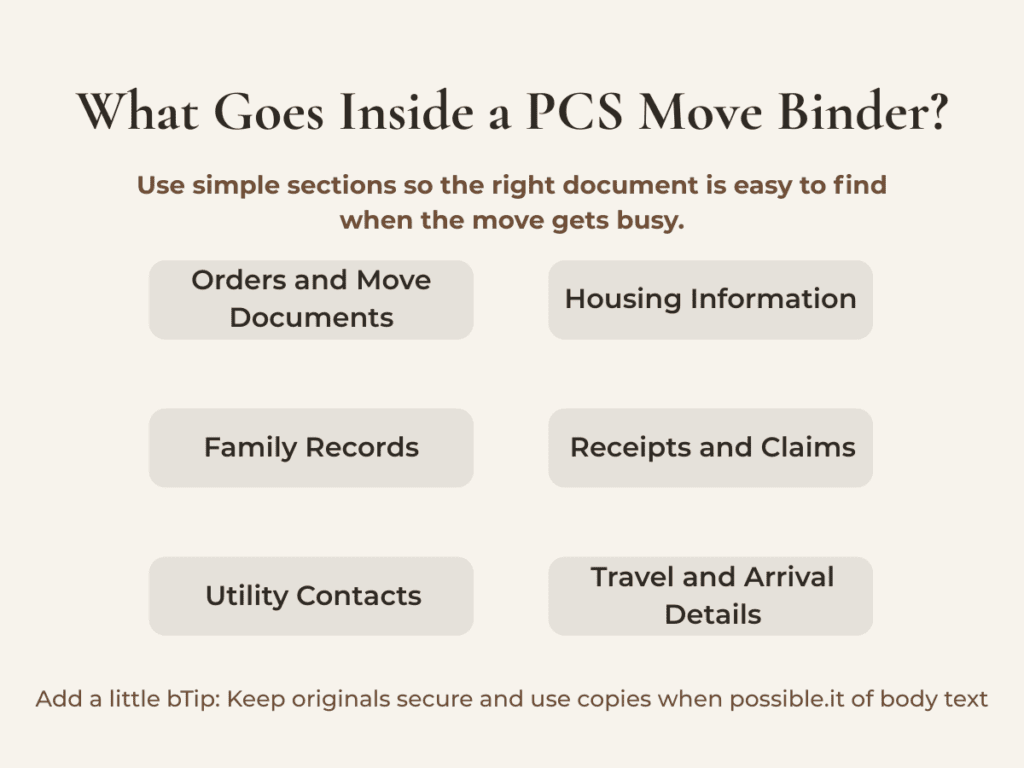
Why a PCS Binder Matters
A PCS move is different from a regular move because there are layers of military requirements, timelines, entitlements, housing decisions, moving systems, and family logistics involved. Official orders matter. Transportation office guidance matters. The Defense Personal Property System, often called DPS, matters. Moving company communication matters. So do family records, housing decisions, medical needs, and details about the home you are leaving or buying.
One thing I always want PCS families to remember is this: organization does not remove every stress, but it gives you a better place to start when something changes.
And during a PCS, something almost always changes.
Dates shift. Documents get updated. Utility questions come up. Lenders need something quickly. A moving company calls while you are in the middle of something else. A school asks for records. A landlord or property manager needs confirmation. A contractor needs access. A closing timeline changes. The more you can keep together, the less you have to start from scratch every time someone asks for information.
Military families are already carrying a lot during a move. A binder is a simple way to reduce some of the chaos.
Section 1: Official PCS and Military Move Documents
The first section of your binder should be for official PCS and moving documents.
Keep copies of:
PCS orders
Amended orders, if applicable
Service member ID information kept securely
Dependent ID information kept securely
Power of attorney documents, if being used
Leave forms or approved travel documents
Transportation office paperwork
DPS login notes stored securely
Move confirmation details
Pack-out date
Pickup date
Delivery spread dates
Storage information, if applicable
Personally procured move paperwork, if doing a PPM
Vehicle shipping or storage paperwork, if applicable
Pet transportation documents, if applicable
This section should be easy to access but protected. Do not leave sensitive information sitting out where movers, vendors, or other people can see it. Use a zipper pouch or separate folder for documents with personal information.
For families using DPS, this is also a good place to keep notes about login issues, help desk contacts, shipment numbers, and transportation office conversations. If you speak with someone about your move, write down the date, the person’s name, the office, and what was discussed.
That small habit can save a lot of confusion later.
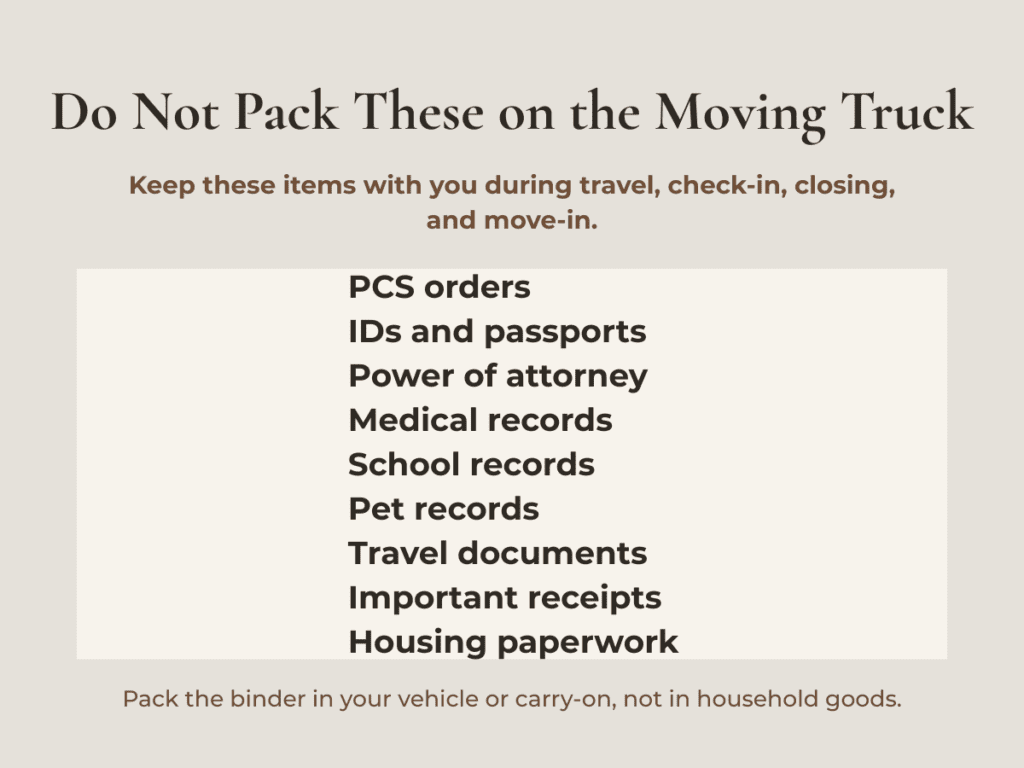
Section 2: Moving Company, Inventory, and Claims Information
Your moving section should be one of the most detailed parts of the binder.
Include:
Moving company name
Transportation service provider contact information
Driver contact information, once available
Pack-out dates
Loading date
Delivery window
Shipment number
Inventory forms
High-value item list
Photos of valuable items
Photos of electronics
Photos of furniture condition
Photos or video of the home before movers arrive
Receipts for moving-related expenses
Copies of emails or texts with the moving company
Notes from the pre-move survey
Damage notes during delivery
Claim instructions
Before pack day, take photos or videos of the items that would be hardest to explain later. This may include televisions, computers, gaming systems, furniture corners and legs, tabletops, antiques, artwork, tools, outdoor equipment, and high-value items.
Also take photos of the condition of the home before movers arrive. That includes floors, walls, doors, stair rails, appliances, and tight corners where damage could happen during moving.
If something is missing or damaged, do not rely on memory. Your binder should help you quickly compare inventory numbers, photos, delivery notes, and claim instructions.
Section 3: Housing Documents for the Home You Are Leaving
The home you are leaving needs its own section, whether you own it, rent it, or live in on-post housing.
Include:
Lease or mortgage information
Property manager contact information
Landlord contact information
Real estate agent contact information
Move-out inspection details
Cleaning checklist
Repair checklist
Utility shutoff dates
Trash service cancellation
Internet cancellation
Forwarding address
HOA contact information, if applicable
Gate codes or access information, if applicable
Garage door opener notes
Mailbox key information
Security system instructions
Receipts for repairs or cleaning
Photos of the property before leaving
For homeowners preparing to sell, this section becomes even more important. Keep seller disclosure notes, repair receipts, warranty information, appliance manuals, utility averages, service provider contacts, and any known home details together.
If you are renting, keep move-in photos, move-out photos, inspection reports, deposit information, and written communication with the landlord or property manager.
A PCS move already has enough pressure. You do not want to be searching for proof of cleaning, repairs, or property condition weeks after you arrive at the next duty station.
Section 4: Housing Documents for the Home You Are Buying or Renting
The next section should be for the home you are moving into.
Include:
New address
Lease agreement or purchase contract
Real estate agent contact information
Lender contact information
Title company contact information
Property manager contact information
Inspection report
Repair agreement
Closing documents, when available
Utility setup information
HOA documents, if applicable
School district information
Trash service information
Internet provider options
Mailbox details
Gate or community access instructions
Move-in inspection checklist
Home warranty information, if applicable
If you are buying a home during a PCS, organization matters even more because timelines can overlap. You may be dealing with loan conditions, inspections, appraisal questions, insurance, closing disclosures, utility transfers, moving dates, and travel planning all at once.
As a real estate agent, one thing I always want families to understand is that the home details matter, but so does the timing. A PCS buyer may not have the luxury of casually working through every decision over several months. Having the right documents together helps keep the process calmer and more efficient.
If you are renting first and buying later, still keep this section. Rental details, utility records, and local contacts may help you when you are ready to purchase.
Section 5: Family Records You May Need Quickly
A PCS binder should include copies of important family records, especially anything you may need before household goods arrive.
Consider including:
Birth certificates
Marriage certificate
Social Security cards stored securely
Passports
Driver’s licenses
Vehicle registration
Vehicle insurance
Health insurance cards
Medical records
Dental records
Vaccination records
Prescription information
School records
IEP or 504 plan documents, if applicable
Child care records
Pet vaccination records
Pet microchip information
Pet health certificates, if needed
Emergency contact list
Use judgment with sensitive documents. Some families prefer to keep originals in a separate fireproof folder or secure travel bag and use the binder for copies only. That is often a smart approach.
The key is making sure these items do not end up packed on the moving truck. Anything needed for travel, enrollment, medical care, identification, housing, or emergencies should stay with you.
Section 6: Contacts and Local Resources
A PCS move often comes down to knowing who to call and when.
Create a contact section with:
Current installation transportation office
New installation transportation office
Relocation Assistance Program contact
Housing office
School liaison officer
Medical clinic
Dental clinic
Veterinary clinic
Lender
Insurance agent
Real estate agent
Title company
Property manager
Moving company
DPS help desk
Utility companies
Internet provider
Emergency contacts
Trusted local repair vendors
Temporary lodging contact
Pet boarding contact
For Fort Leonard Wood area moves, this section can be especially helpful because families may be comparing on-post housing, rentals, short-term lodging, and homes in surrounding communities such as St. Robert, Waynesville, Dixon, Crocker, Richland, Laquey, Lebanon, and other nearby areas.
Every family’s situation is different. Some need quick access to schools. Some need commute information. Some need room for pets. Some need temporary housing. Some are buying with a VA loan. Some are selling at the same time they are buying.
That is why your binder should not just be a moving binder. It should be a decision binder.
Fort Leonard Wood Area Utility and Vendor Contacts to Start With
If you are moving into the Fort Leonard Wood area, one of the first things to understand is that utility providers can change quickly from one address to the next. A home inside St. Robert city limits may have different utility setup steps than a home in Waynesville, Richland, Dixon, Laquey, Crocker, or a rural part of Pulaski County.
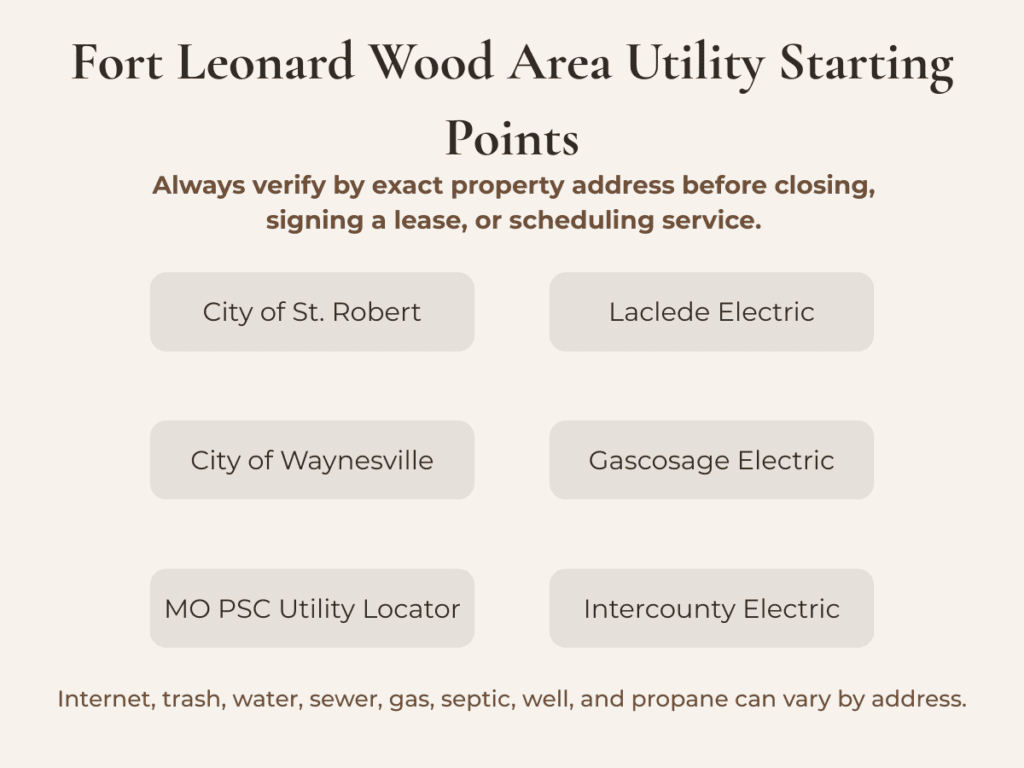
This is why I recommend using this section of your PCS binder as a starting point, then confirming everything by the exact property address before closing, signing a lease, or scheduling service.
For homes in St. Robert, the City of St. Robert operates local utility services for many city residents. Their utility services and billing page is a good place to start for setting up service, billing questions, and outage reporting.
For homes in Waynesville, the City of Waynesville is an important first call for city utility service, outage reporting, utility billing, and setup questions.
For homes outside city limits, electric service often depends on the exact property location. The Missouri Public Service Commission Utility Locator is one of the best tools to verify regulated utility information by area. In Pulaski County and surrounding communities, providers may include municipal utilities, electric cooperatives, or other utility companies depending on the address.
Laclede Electric Cooperative may serve some buyers in the broader Fort Leonard Wood area. Gascosage Electric Cooperative may be relevant for parts of the Dixon area and surrounding communities. Intercounty Electric Cooperative may be relevant for buyers looking farther outside the immediate St. Robert and Waynesville area.
For Richland, the City of Richland provides municipal utility information that may be useful for buyers considering homes in that direction.
For homes on Fort Leonard Wood, utility and maintenance questions may go through installation-specific resources, housing channels, or provider-specific contacts rather than the same process used off-post.
Internet service is also address-specific. Buyers should check availability before assuming a provider serves a specific home. Current options in the broader Fort Leonard Wood, St. Robert, and Waynesville area may include fiber, cable, fixed wireless, satellite, or wireless home internet depending on the exact address.
In your PCS binder, create a page called Utilities to Confirm Before Closing or Move-In and include:
Electric provider
Water provider
Sewer provider
Natural gas provider
Trash provider
Internet provider
Mailbox location
HOA or subdivision contact, if applicable
Septic company, if the home is on septic
Well service provider, if the home has a private well
Propane provider, if applicable
Lawn care contact
Pest control contact
HVAC service company
Plumber
Electrician
Handyman or general repair contact
This is one of those areas where local guidance matters. Two homes can be only a few miles apart and have completely different utility providers, internet options, trash setup, water source, sewer setup, or maintenance needs.
For buyers coming into the Fort Leonard Wood area, especially during a PCS timeline, having these contacts organized early can make the first few weeks in the home much smoother.
Section 7: Home Details to Keep Handy
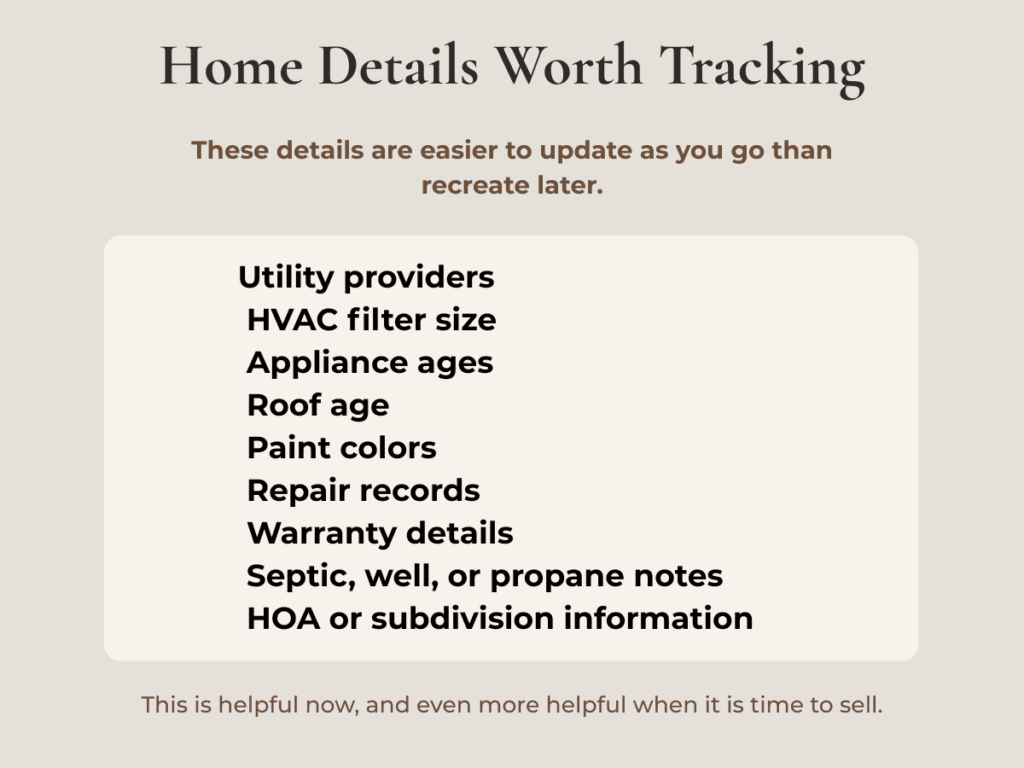
This is the section many people forget, but it can be incredibly useful.
For the home you are leaving or selling, include:
Utility providers
Average utility costs
Trash pickup day
Septic information, if applicable
Well information, if applicable
Water softener details
HVAC filter size
Appliance ages
Appliance manuals
Paint colors
Flooring information
Roof age, if known
Recent repairs
Warranty information
Service provider contacts
Lawn care notes
Pest control records
HOA rules
Dock, lake, acreage, or exterior feature details, if applicable
For the home you are moving into, start a blank version of the same list. As you learn the new home, fill it in.
This is especially valuable for homeowners. When it is time to sell later, these details help your agent, future buyers, inspectors, contractors, and even you. It is much easier to update a home record as you go than to recreate years of information during a stressful listing timeline.
Section 8: Receipts, Reimbursements, and Budget Tracking
PCS moves often involve out-of-pocket costs before reimbursement or final settlement. Keep a section for receipts and budget tracking.
Include receipts for:
Temporary lodging
Fuel
Meals, if tracking
Pet expenses
Moving supplies
Cleaning
Repairs
Storage
Utility deposits
Hotel parking
Tolls
Rental equipment
Professional services
Shipping costs
Personally procured move expenses, if applicable
Do not assume every expense is reimbursable. Rules vary based on orders, entitlements, move type, location, and current policy. But keeping receipts gives you the ability to ask informed questions and submit what is allowed.
This is also helpful for your own budget. A PCS can feel financially scattered because money leaves in several directions at once. A simple receipt folder can help you see what has been paid, what is pending, and what still needs to be submitted.
Section 9: Travel Plans and Arrival Details
Your travel section should include everything needed to get from one home to the next.
Include:
Travel route
Hotel reservations
Confirmation numbers
Temporary lodging information
Pet-friendly lodging notes
Vehicle maintenance records
Roadside assistance information
Travel day checklist
Printed directions as backup
Emergency contact list
Medication list
Snacks and meals plan
Important items packed in the vehicle
Arrival appointment times
Key pickup instructions
Move-in inspection appointment
Utility start dates
Even if you prefer digital tools, having printed backup information is helpful. Phones die. Service drops. Apps glitch. A binder gives you one more layer of protection.
Final PCS Binder Tip: Keep a Digital Backup Too
A physical PCS binder is helpful, but it should not be the only copy of important information.
Create a digital folder with the same major sections:
Orders
DPS and move documents
Housing
Inventory photos
Receipts
Medical and school records
Pets
Travel
Contacts
Home details
Use secure storage and be thoughtful about who has access. For sensitive documents, follow safe storage practices and avoid casually sharing links.
A good system is physical plus digital. The binder helps when you are sitting at a table, checking into lodging, talking to movers, or reviewing paperwork. The digital version helps when you need to email, upload, or search quickly.
Helpful PCS and Fort Leonard Wood Area Resources
Because PCS processes, provider contacts, phone numbers, service areas, rates, and setup requirements can change, always verify information directly with the official source and by the exact property address.
Helpful resources to keep bookmarked include:
Military OneSource PCS and Moving Support – Use this for general PCS planning and moving resources.
Military OneSource PCS Basics – Use this for PCS basics, orders, and relocation support.
Defense Personal Property System – Use this for DPS, the PCS and storage portal.
Military OneSource Personal Property Resources – Use this for the PCS Call Center, PPA support, moving tools, and personal property resources.
Military OneSource Moving Personal Property – Use this for arranging and managing a military move.
Missouri Public Service Commission Utility Locator – Use this for verifying regulated utility information and local utility providers.
City of St. Robert Utility Services and Billing – Use this for St. Robert utility billing, utility contact information, and outage reporting.
City of Waynesville Utility Service – Use this for Waynesville city contacts, utility department, and outage reporting.
Laclede Electric Cooperative – Use this foroutside city limits and you have them as your electric provider for utility department, and outage reporting
Gascosage Electric Cooperative – Use this foroutside city limits and you have them as your electric provider for utility department, and outage reporting
Intercounty Electric Cooperative – Use this foroutside city limits and you have them as your electric provider for utility department, and outage reporting
City of Richland Utilities – Use this for Richland city contacts, utility department, and outage reporting
Missouri 811 – Use this for utility locate requests before digging. Missouri 811 says requests can be made online or by calling 811 at least three full working days before excavation.

A PCS Binder Helps Protect Your Time, Your Move, and Your Peace of Mind
PCS moves are a lot. Even when everything goes well, they can feel overwhelming because so many decisions happen close together.
A PCS binder will not remove every stress, but it can remove some of the chaos.
It gives your family one place for the documents, contacts, receipts, home details, and notes that matter most. It helps you communicate clearly. It helps you prepare for packers, delivery, housing decisions, school enrollment, claims, utility transfers, and arrival at the next duty station.
Most importantly, it helps you feel a little more prepared.
And during a PCS move, that matters.
If you are buying or selling near Fort Leonard Wood, or trying to decide what makes the most sense for your next season of military life, the paperwork is only one piece of the process. The timing, housing options, resale outlook, commute, inspections, loan details, utility setup, and local market conditions matter too.
A well-organized binder helps you manage the move.
The right local guidance helps you make better decisions once you get there.


Amanda Greenwood
Missouri real estate agent serving Lake of the Ozarks, Fort Leonard Wood, Lebanon, and Central Missouri. Book a consultation →